

Online Safety Training: What It Covers and Who Needs It
In the year to June 2024, almost 1.4 million Australians took part in eSafety training courses, including 1.2 million school students, 31,000 educators and 28,000 parents, according to the eSafety Commissioner. That volume changes the question for a worksite. The issue isn't whether online safety belongs in training. It's whether the session only builds awareness, or whether it shows someone can act when a bad message lands mid-shift.
Online safety training is structured learning on protecting accounts, devices, personal information and online interactions. A suspicious payroll text, a QR code on a site shed, or a group chat that turns nasty is the true test. Knowing the risk exists is not the same as handling it under pressure.
Table of Contents
- Online Safety Training at a Glance
- Topics Online Safety Training Covers
- Real Scenarios Online Safety Training Prepares You For
- Who Online Safety Training Suits
- Choosing Online or Practical Training by Situation
- How to Judge Whether a Course Works
- Confirm the Format Before You Enrol
Online Safety Training at a Glance
Online safety training is delivered through self-paced modules, live webinars or video sessions. You work through scenarios on a screen, often in your own time, and you answer questions about what you'd do next.
Practical in-person training is different. A trainer is in the room or on the site, with the equipment and conditions you'll use. They watch you perform a task and sign off only when the action is right, not when the answer sounds right.
Online training builds knowledge and recognition quickly and at scale. In-person training builds a skill you have to perform.
| Feature | Online safety training | Practical in-person training |
|---|---|---|
| Delivery | Self-paced modules, live webinars or video calls | Trainer-led sessions in a room or on site |
| Hands-on practice | Scenarios, quizzes and simulated decisions on screen | Real devices, tools and conditions the learner will work in |
| Access | Anywhere with a reliable connection | Requires travel to a venue or worksite |
| Typical assessment | Online quizzes and scenario tests | Observed tasks with trainer sign-off |
| Best for | Awareness, knowledge and reporting habits | Skills that must be performed under pressure |
A quiz can show you recognise a fake link. It can't show you'll stop, call the right person and keep working safely when that link arrives while you're on tools. That's the limit of a screen.
Practical rule: Ask whether the goal is to know the risk or to act on it under pressure. If an assessor must see the action, a module alone isn't the format.
Treat the online session as one control inside a wider safety system, the same way a safety and health policy sets expectations before anyone picks up a tool. Completion is not the same as competence.
Topics Online Safety Training Covers
A useful course moves past "use a strong password". It rehearses the messages, devices and chats people meet at work, and it names the risk each habit is meant to control.
| Topic | What learners practise | Main risk addressed |
|---|---|---|
| Account and password security | Building strong passphrases and enabling multi-factor login | Account takeover |
| Phishing and scams | Spotting fake messages, links, QR codes and job offers | Fraud and credential theft |
| Personal and worksite information | Deciding what to share, and where, on social media and group chats | Location exposure and privacy loss |
| Shared and mobile devices | Locking devices and separating work and personal accounts | Data leakage |
| Cyberbullying and harassment | Recognising abuse, preserving evidence and reporting | Harm to self or colleagues |
| Incident reporting | Escalating to the right person and securing accounts quickly | Delayed response |
Prevention tips aren't enough once harm is already happening. In a nationally representative survey of 3,454 Australian children aged 10–17, run from December 2024 to February 2025, the eSafety Commissioner found that 53% had experienced cyberbullying at some point. Incidents came through Snapchat, online games, Instagram, Discord and text messages, not only public feeds.
What to practise when harm is already happening
Adults meet the same channels in crew chats and shift groups. The response you rehearse should be short enough to remember on a break.
- Separate conflict from abuse. A blunt argument about a task isn't the same as threats, humiliation or sexual content.
- Keep the minimum evidence. Screenshot the message, the sender and the time. Don't add commentary inside the chat.
- Report on the correct channel. Tell the supervisor or the named contact in your procedure, not the whole group.
- Secure the accounts. Change the passphrase, turn on multi-factor login, and sign out other sessions.
- Don't spread it. Don't forward the harmful material, and don't run your own "investigation".
Match the topics to the apps and devices that group uses. A traffic crew sharing live locations needs a different scenario from a café sharing a roster. The same logic sits inside risk management on site: name the exposure, then practise the control.
Real Scenarios Online Safety Training Prepares You For
These three cases are the ones a course should rehearse before you meet them on the job. Each one has a warning, a response and a follow-up.

The recruiter who wants your bank details
Say you've applied for civil work and a message arrives offering a start on Monday. It asks for a photo of your licence and a bank account "so payroll can verify you", and it says the role will go to someone else if you wait.
Warning signs are unsolicited contact, urgency, and a request for identity or banking data before you've met anyone. Response: stop, and verify the role through a phone number or website you already know, not the one in the message. Follow-up: keep the message, report it to the company and to your manager, and don't send the documents. If you've already replied, contact your bank the same day.
The supervisor account that isn't the supervisor
During a night shift, the site group chat gets a note from the supervisor's account: "Send me the gate code and the wifi password, I'm locked out." The wording is slightly off, and the request didn't come by phone.
Response: don't send the code. Call the supervisor on a number you already have, tell the team the account may be compromised, and report it internally. Follow-up: preserve the chat, ask the account owner to secure it, and treat any code that was shared as burnt. Issue a new one through the normal site process.
The QR code that copies the company portal
A printed notice on the crib-room door says "update your timesheet" and shows a QR code. The page looks like the company login, down to the logo, but the address is a string of odd characters.
Response: don't enter a passphrase. Report the notice to the supervisor, and have it removed. Follow-up: if anyone did log in, reset that account, check whether payslip or personal details were opened, and record who saw the sign. A workplace inspection should include odd notices and stickers, not only physical hazards.
If you wouldn't hand a stranger your licence at the gate, don't send it because a message sounds helpful.
Who Online Safety Training Suits
A course fits a group when its scenarios match the tasks and tools that group uses every day. The same slide deck won't serve an apprentice and a supervisor.
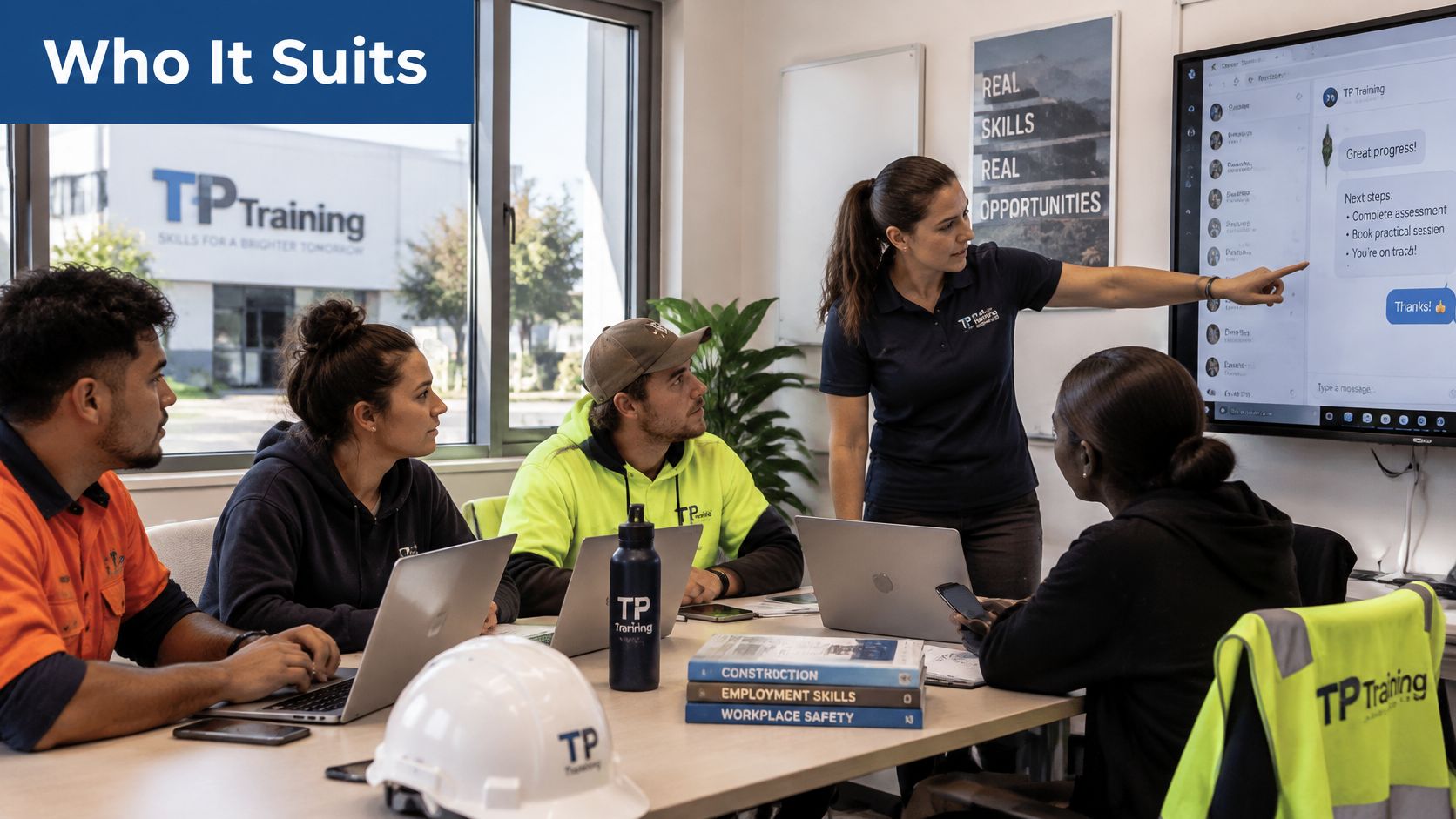
Apprentices, job seekers and young workers live in messaging apps and often share a site phone or tablet. They're the people fake recruiters, altered licences and payroll scams are written for. Their course should open on "verify the job" and "don't photograph your tickets for a stranger", not on office software.
Construction, civil, traffic control, warehousing and hospitality crews add another exposure. Location sharing, worksite photos and customer chats can reveal gates, rosters and home addresses. A short module on what a photo of the job gives away is more useful than a lecture on network architecture.
Supervisors need a different hour. They have to separate a disagreement from abuse, take a report without interrogating the person, and escalate before the chat is deleted. Employers need something they can check: not a warm feeling that "the team knows this", but a record of who could spot the fake message and who reported it the right way.
That gap is already visible. In 2025, 79% of Australian security leaders said employees were adequately informed about cybersecurity threats, compared with 50% of surveyed employees, based on Datacom's State of Cybersecurity Index Australia 2025. Leaders and workers aren't describing the same workforce.
Employer demand for yearly training is already routine. In 2025, 87% of Australian Commonwealth entities provided annual cyber security training to their workforce, up from 78% in 2024, according to the Australian Signals Directorate and the Australian Cyber Security Centre. Private sites can copy the habit without copying the bureaucracy: one scenario set per role, repeated each year. Employer responsibilities include giving people a clear way to report, not only a login to a course.
Choosing Online or Practical Training by Situation
Choose the format the task requires. If the outcome is "recognise and report", online delivery carries it. If the outcome is "perform this with equipment while someone watches", you need a trainer in the room.
| Situation | Better fit | Why |
|---|---|---|
| Awareness for all staff | Online | Reaches many people consistently and can be repeated |
| New starters needing induction | Online, followed by a check | Covers policy and recognition before work begins |
| Tasks involving equipment or physical controls | Practical in-person | Needs observation and hands-on performance |
| Supervisors handling incident reports | Blended: online plus in-person role-play | Builds escalation and difficult conversations |
| Regional or shift-based workers | Online | Avoids travel and fits rostered hours |
| Compliance requiring observed competence | Practical in-person | Assessors need to see the skill performed |
Where a blend beats either format alone
Blended delivery is usually the strongest pattern. People complete a short online module first, so the in-person time isn't spent reading policy aloud. Then they practise the hard part together: taking a report, challenging a fake instruction, or refusing to share a code.
The split works because some skills only exist in performance. A supervisor role-play doesn't travel well as a quiz, and a refresher on what a phishing text looks like doesn't need a day off the tools. Each half of the course does the job the other half can't.
We run workplace-based training, online options, classroom settings and group sessions. You can attend in person at the TP Training facility or join online via Zoom. A video call can walk a regional crew through a scenario. It still can't replace an assessor standing next to a machine.
The same judgement applies across compliance training. A construction white card completed online still has to meet the rules for that licence pathway, and the Food Safety Supervisor Course FSS covers proper food handling, storage and hygiene in hospitality settings, so confirm how each course is delivered before you book. Loresson's guide to safety training is a useful wider read on matching the session to the hazard rather than to the timetable.
If an assessor must see the skill performed, online knowledge alone isn't enough.
How to Judge Whether a Course Works
Completion rates and smile sheets don't tell you whether anyone is safer. The eSafety Commissioner's best-practice framework found no rigorous or reliable evidence base for judging whether existing online-safety initiatives achieved their intended outcomes. For a workplace, that means a popular course can still leave a worker unable to spot a malicious link or report it correctly when they're rushed.
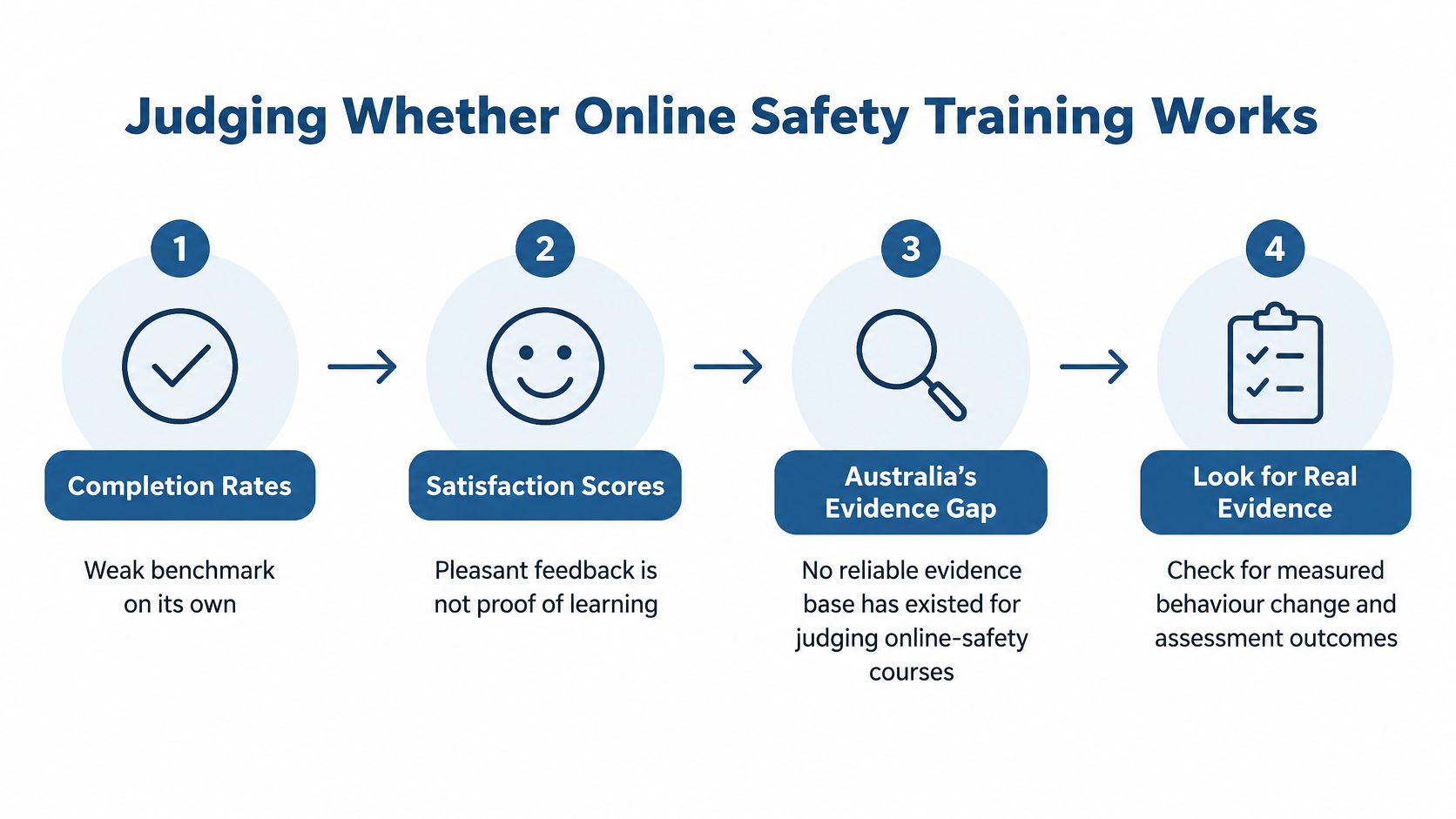
Treat the course as a risk control with a measurable job, much like a guard fitted to a machine. Define the behaviour it should change, then look for that change under realistic pressure. Six checks give the course a fair test:
- Write outcomes as actions you can see. "Report a suspicious link to the supervisor before the end of the shift" is an outcome. "Understand phishing" leaves too much room for interpretation. If two assessors cannot mark the same response in the same way, sharpen the wording.
- Run a short check before the course. Five questions built around a fake text, a shared login and a nasty chat show what people already do. Skip that baseline and a high later score may only mean the test was easy.
- Test decisions during the course. Put a fake payroll message on screen and set a timer. Ask what they tap, who they call, and what they save. A worker may know every term and still choose the unsafe action when the message looks urgent.
- Repeat the same check afterwards. Keep the scenarios and difficulty aligned. A different or easier test gives you a new score, yet it cannot show whether behaviour improved.
- Watch real reports for a few weeks. Look for incidents reported through the right channel, with the message preserved and the content left unforwarded. The certificate can arrive while the risky habit remains.
- Refresh, then compare with the first check. Platforms and scams move. A second pass shows what stuck, while a yearly login on its own only proves attendance.
Judge the control by the pattern after training. Cleaner reports, preserved evidence and safer choices under time pressure carry more weight than a completion screen.
Confirm the Format Before You Enrol
Think about the last course someone on your crew sat through. Did anything change on the next shift, or did it only produce a certificate? Hold that question in mind while you apply the checks below.
Topic match. Read the scenario list against last month's actual messages. If the course never mentions job offers, shared phones, worksite photos or crew chats, it isn't written for your shift.
Format match. Confirm how the course is delivered before you pay. The situation-by-situation comparison earlier in this article shows where screen-based learning works and where a trainer has to watch the task. This check is about delivery, not content. A strong course in the wrong format still fails the worker who needed observed practice.
Evidence match. Ask what your employer accepts as the record. A certificate of attendance shows who logged in. If the booking needs to demonstrate changed behaviour on site, the course has to produce something beyond a login.
We're accredited by SafeWork NSW for the vocational safety training we deliver. That doesn't automatically describe every online module, so ask what a specific booking assesses and what it doesn't.
Write down the actions you need, such as reporting a suspicious link within the shift. Compare two or three courses against these checks and put the same questions to each provider, including us, before you book.
TP Training delivers practical safety and vocational courses for construction, civil, traffic control, hospitality and workplace roles, in classrooms across NSW and through online and group options where the task allows it. If your crew needs a clear split between screen-based awareness and skills a trainer must watch, start with the format that matches the job. Visit TP Training to compare courses and book a session that fits your site.

You may also like

Construction Jobs No Experience: How to Get Hired in 2026

CBD First Aid Courses in Sydney: Costs and Booking